
Fix My Speaker: Free Online Speaker Cleaner to Eject Water & Dust
If you are experiencing a problem with your device, please click on the relevant icon below to resolve it. For moisture issues, click on the ‘Eject Water’ icon. For dust-related issues, click on the ‘Remove Dust’ icon. Once you click, the process will automatically start and handle the issue for you.
Are you experiencing poor sound quality or no sound from your device speakers due to water, dust, or other technical issues? Dropped your phone in water, and now it sounds muffled? If yes, you definitely are in the right place. We have an easy solution for repairing your speakers.
Our speaker cleaner works in a way that plays a specific tone which then generates the specific sound waves or frequencies that push the water out of your device. It’s like shaking your mobile or device to get rid of moisture.
Moreover, It not only removes water or moisture but also removes dust particles and makes the audio quality clear. It’s free to use and works for many devices not only for mobile. If your phone audio is unclear, try this tool to improve your device’s sound.
What is Speaker Cleaner?
Speaker Cleaner is a free web-based tool that uses specific sound wave frequencies to remove dust or moisture and eject water droplets from your phone or other devices. No app download is needed.
Once you press the play button, the tool generates controlled vibrations that help dislodge debris and push moisture out through the speaker openings, allowing the process to complete safely without manual effort.
When and why to use it?
Sometimes your phone slips from your wet hands, water splashes near the speaker, and dust builds up after a long day. This is the time the speaker cleaner tool acts as a mini rescue team for your device, cleaning your speaker and pushing out the dirt or restoring clear audio.
The Science behind this tool: How it works
Smartphones and laptops are constantly exposed to the air for 24 hours. So, it’s very common that dirt, dust particles, and sometimes water splashes stick to phone speakers. It causes the following damage to the speaker:

- Airflow gets blocked
- Sound becomes muffled or distorted
- Weaken sound audio
Speaker cleaner tool produced low-frequency or high-frequency audio vibration designed:
- Remove water droplets from the phone
- Push out dust particles and dislodge dirt
- Make debris outward through tiny air holes.
The results you get:
This tool is faster, safer, and a powerful Phone cleaner, and it avoids the need to search for a manual water eject shortcut by safely performing the iPhone water ejectprocess in seconds.For a detailed explanation of how to safely clean your speakers, click on it step-by-step guide.
How to Use speakers cleaner?
Here is a detailed process that how you can clean your device. Click below to see how to use the tool.
Wipe Your Device
If any water droplets are visible on your device, remove them using any dry cloth. By doing so you can prevent your speakers from moisture.
Increase Volume
After cleaning your device, turn your device’s volume to the maximum level.
Placement
To make the tool work properly, place your device on a flat surface to work it.
Start Cleaning
Click on the start button in the app to start the tool and wait for the progress of the given line bar to 100%.
Switch to Vibration Mode
Now, select the vibration mode and press the water button. Again, wait for the bar to progress 100%. This will remove the remaining water particles.
Check Performance
After these steps, Once you’ve cleaned your speaker, It not only helps verify the audio quality but also lets you edit or trim any background noise easily.
Repeat if Needed
If your device’s sound is still muffled, repeat the procedure 2 to 3 times for better results. Use another high-fidelity music app to test your speaker’s sound range after each round.
Test the Sound
Check your sound by playing audio or music. Repeat the steps if necessary to improve audio quality.
Key Features
Here are the unique features of speaker cleaner that are specifically designed for optimal speaker cleaning and moisture removal. To read them, please click on read features.
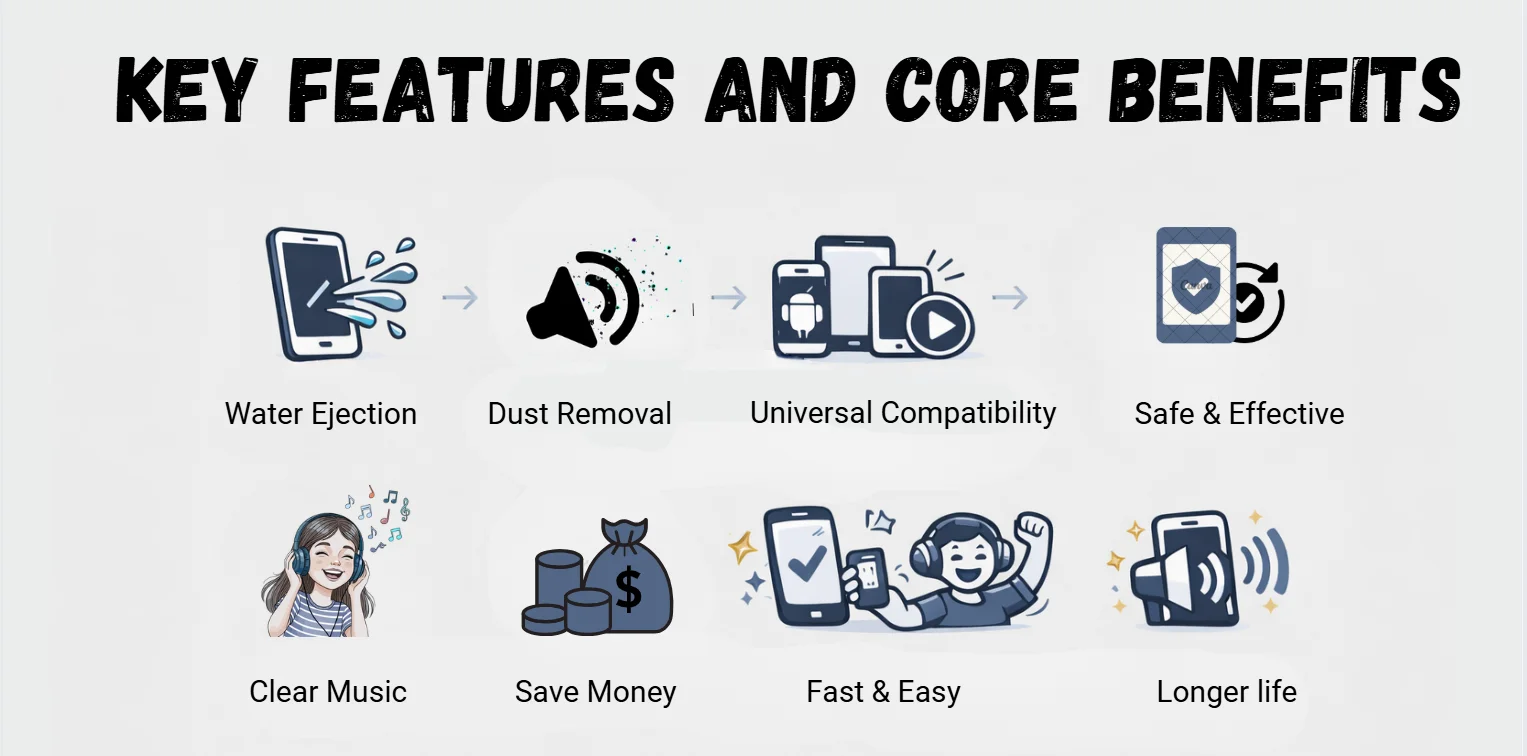
Water Ejection
The primary function of this tool is to eject the water out of the phone speaker. Not removing the water could be the cause of unclear sound or muffled sound.
Dust Removal
This feature uses a special sound frequency vibration to pull out dust or debris from your speaker. Aiding in improving the sound quality.
Volume Booster
This tool helps you increase your phone’s volume safely if it feels too low. It works for everything—from music and videos to phone calls and alerts. Now you can enjoy louder and clearer sound on any device without missing any important notifications.
Compatibility
This device is compatible with almost all types of devices like Android, iPhone, tablets and any other devices that use or have speakers fit in itself. The diversity of this tool makes it useful.
Ease of Use
One of the unique features of this tool is that no technical skill is required. It is so simple that you must just click the play button. This feature makes the speaker cleaner very user-friendly.
Safety
The device is designed to not harm any part of your device and performs all the actions safely. Using this way to clean your device is better than using any physical method.
Core Benefits
The benefits that comes along with Speaker Cleaner are:
Improved Sound Quality
Regularly using this tool not only improves your sound quality but also the volume. Using this tool prevents your device from any blockage, which makes your device sound clear and vibrant.
Cost Savings
When you use this tool, your device’s health remains up to date. This tool not only keeps your device safe but also saves you money.
Convenience
One of the main features that gives it credit is that it is user-friendly, as it is very easy to perform this task for any device. With just few taps, you can fix the sound quality of your device.
Preservation
Regularly cleaning your speaker enhances its sound quality and longevity, preventing serious damage and extending your device’s lifespan.

Cleaning Methods for Speakers
Whenever we have speaker problems we usually face two types of issues, the first is dust particles while other is water moisture. Dust particles drop down the quality of the sound which requires gentle cleaning to restore the clarity of sound. Fortunately, we have multiple strategies to overcome this issue.
Sound Wave Technology for Water Removal
The basic Principle on which this tool works explained
Principle of Operation
This tool plays the tones that generate specific frequencies to make our speaker vibrate.
Mechanism
These specific frequencies make the speaker’s diaphragm vibrate, causing any particles on it to move out of the device.
Eject Water
The water is pushed out by the sound-wave vibrations. A gentle shake only assists the process by guiding the loosened droplets toward the speaker opening.

Common Speaker Cleaning Techniques
Here are some cleaning techniques for cleaning your devices speaker if you’re seeking how to “Fix my speaker” on your own:
The Rice Method
In this method, we use rice or removal of water droplets out of electronic devices like mobile phones. Immediately turn off your device then clean your device with any dry cloth. But it’s risky.
The Silica Gel Method
First, turn off your device and, if possible, remove all the removable parts to prevent further damage. Place the device in a sealed container surrounded by silica gel packets .The silica gel helps absorb moisture without harming your device. Avoid covering the ports completely to allow airflow.It’s better and more save method.
Soft Brush Method
To remove dust from the speaker grills, use a soft-bristled brush. Do this gently and it will remove the dust particles from your speakers without any damage.
Compressed Air Technique
To remove dust or debris from the speaker, apply a controlled bursts of compressed air. Be careful while doin this: it might push the debris to go deeper in the device.
Adhesive Tape Approach
Wrap the adhesive tape around your fingers so the sticky side faces outside. Then, gently dab the speaker surface you will see that the dust and lint will attract towards the tape. There a risk of leaving sticky residue behind.
Toothpick or Needle Cleaning
In this method, we must be very careful to avoid damaging our device speaker mesh. You must use a needle or toothpick to remove the debris in the speakers’ grills. It’s not recommend unless there’s no option other than this.
Dry Cloth Wiping
Use a microfiber cloth to remove the dust and debris from the speaker surface and surrounding area. You will see your device clean and scratch less.

Preventive Measures to Avoid Water Damage
To protect your device from a big loss. Follow these practical precautions. These guidelines help to reduce the risk of moisture entering your phone’s speakers or internal components:
- Use a waterproof phone case because it provides an extra layer of protection
- Avoid using your phone near water
- If possible, use waterproof accessories.
- Make a backup of your important data to overcome any bad situation.
- Do regular maintenance of your device and avoid taking risks.
Common Speaker Issues and Solutions
Your speaker suddenly gives a muffled, distorted, and buzzing sound. These are early signs that dust, debris, and dirt stick to it.
Problems Quickly Fixed by the Tool
This tool can overcome common speaker problems, especially regarding sound clarity and quality.
Blown Speaker Sounds
If the sounds coming from your speakers are blown, it might be due to the clog stuck in your device. You can revive your sound by wiping out the clog using our tool.
Dust and Debris Accumulation
With time, dust and debris accumulate on the speakers, distorting the device’s sound quality. We uses sound vibrations to lose the debris, making the sound clear and loud.
Water Damage
If accidentally water enters your device, the sound you hear could be muffled. You can take your speaker sound and quality back to normal as this app pushes out the water droplets with the vibration it generates.
Low Volume Problems
Our sound density could be low due to the dust and debris in the speaker’s mesh. This tool restores your sound density to normal by wiping out the debris or dust.
Gritty Distortion
Harsh and gritty speaker sounds may be caused by fine dirt or grime inside. Fix My Speaker cleans out these particles with vibrations, restoring clear audio.
Crackling
If you hear a crackling sound from your device, it might be due to the weak signals or debris stuck in it. This tool will reduce or remove the crackling if it’s due to debris.
Unpleasant Audio Quality
If some contaminants or dust entered into the device speaker, it could cause unpleasant audio quality. If you face this issue, you can overcome this by using this tool.
What to Do if Your Phone Falls in Water
If your phone accidentally falls in water, Quick action can significantly reduce the risk of permanent damage.
Remove it Quickly
Immediately remove your device from the water; the less time it spends in the water, the more chances you have to save it.
Turn it Off Immediately
Turn off your phone immediately to prevent any kind of short circuits. If your phone is already off, don’t turn it on before taking some measures.
Dry the Exterior
Use a dry or soft cloth to wipe out the water from the exterior side of your phone. Do not shake your phone too quickly to avoid spreading water deeper into your device.
Avoid Heat Sources
Try to avoid using the hairdryer and exposing it to direct sunlight, as the heat can cause huge damage to our device.
Silica Gel or Rice
Place the phone in a container filled with silica gel packets. This method is very useful for absorbing moisture from electronic devices, it usually happens in 24 to 48 hours.
Wait Before Powering On
You have to wait 24 to 48 hours before powering on your device. Turning it on early can may cause big damage to your device and pockets, too.
Myths and Facts About Water-Damaged Speakers
Here are some common myths and facts regarding dealing with a phone damaged by water or moisture.
Myths
Following myths commonly found in our society.
Rice Will Fix Everything
You might have heard that when the phone is dropped in water and put in a bowl full of rice, it will absorb all the moisture, but unfortunately, it does not reach deeper into the device where the water has reached.
Immediate Heat Will Dry It Out
Using the hairdryer or radiator to dry the water quickly seems logical, but it causes more damage to your device in real-time. Heat might cause the melting of internal components and push water deeper.
Playing Loud Music Clears the Water
Some say that playing the sound to the maximum level pushes the water out of the phone. But actually, it can damage the wet speakers even higher.
Facts
But the facts are as follow
Immediate Action is Important
The better results you will get as faster you turn off your device and dry it out. In this way, you can avoid short circuits and minimize your device’s damage.
Silica Gel is More Effective Than Rice
The silica gel is far better than rice to absorb moisture from the speakers, especially designed for this purpose.
Specific Frequencies Can Help
The specific sound frequencies can help you to push the water out of the device. But you must carefully use the right tool only after the phone is powered off and partly dried.
Why Choose This Tool?
Unlike other apps that claim to fix your speakers, this tool uses precise sound frequencies to gently remove moisture and light debris without risking damage.
Audio Restoration
This tool contains 2 audio files of specific frequencies that are very helpful for the ejection of water from the phone.
Pause Indication
A clear and accessible pause button lets you stop the cleaning sound anytime with a single tap.
Design
The interface is clean, intuitive, and effortless to navigate,even for first-time users.
Progress Tracking
You will see the progress bar in the app of this tool. A 100% progress bar means that the moisture has been effectively removed.
Navigation
Very simple to navigate and use. As you open the app, you will see the blue highlighted button that you can use to start this procedure.
Dual Cleaning Support
The tool assists in clearing trapped moisture and loosening light dust from the speaker grille using sound vibrations.
Comparison with Other Apps
The Major Differences between Speaker Cleaner & other tools.
DIY Speaker Repair
When to Try It and When to Call a Professional. Thinking I can fix my speaker by myself is a good idea, but you should be familiar about when to do it or when not to, as it will make the situation worse for you. Here is a simple guide.

When to Try DIY Repair?
If you are facing following problems you can try fix my speaker on my own strategy:
Superficial Issues
If you are dealing with external problems like dust or moisture, you can use these solutions with specific sound frequencies; compressed air and soft brushes can work effectively.
Simple Connectivity Issues
Sometimes, the only connectivity issue is that the device loses the connection. So, firstly, securing the connection might solve the problem So there is no need to bring it to a professional.
Software Glitches
You might be facing low sound problems or un-updated audio drivers that can usually be solved by updating your drivers. If the issue still persists, you can check according to the manufacturers’ instructions provided online.
When to Call Professionals?
You should not opt for DIY and seek a professional if you are having following issues:
Physical Damage
If you see something is physically wrong with the speakers, like a break or a tear, you should contact the professionals rather than doing DIY and thinking I can fix my speaker on my own.
Severe Water Damage
When your mobile speaker is soaked in water, and you feel water has entered deeper, you should seek a professional rather than your own services.
Warranty Considerations
If your mobile still has a warranty duration, trying to fix it yourself might damage this further. You might also lose the warranty. So, it’s better to seek the manufacturer or authorized repair service.
Make your sounds pleasant regardless of the Brands
We are here to help you if you are facing your device’s distorting, crackling or muffled sound. We have designed our tool in such a way that the sound quality of your device can be enhanced. The top supported brands are as follows.
- JBL
- Samsung
- Realme
- Apple(iPhone)
- Xiaomi
- Vivo
- Google(pixel)
- Acer
- Lenovo
- Dell
- Hp
- Microsoft
Other than these there are many brand devices that our tool supports. Above mentioned, brands are the top 5 that our tool supports.
Because every sound matters
Do Foresightedness And Make Your Speaker Best
One wise decision can save your speaker’s life. One advantage of technological advancement is at your fingertips now. You can now clean your phone’s speaker as easily as a vacuum cleaner refreshes your home or a fire alarm alerts you to danger. All you have to do is turn on the feature, and the rest is all done by itself.
Do the following things:
- Enable Water Detection Alerts (if available)
- Use UV Phone Sanitizers That Include Blowers
- Avoid Overheating the Device
- Consider a Hydrophobic Nano-Coatin
Troubleshooting & Support:
What if my speaker still sounds muffled after using the app?
If the issue persists, there might be a physical obstruction that the sound waves cannot dislodge, or there could be internal damage to the speaker. In such cases,
consider seeking professional phone repair services.
The app isn’t producing any sound. What should I do?
Ensure your phone’s volume is turned up, the phone is not on silent or vibrate mode, and that the app has the necessary permissions to play audio.
Restart the app and your phone if the issue still continues.
I accidentally closed the app during cleaning. Should I run it again?
Yes, if the cleaning process was interrupted, it’s recommended to run it again to ensure it completes the cycle.
How do I update the app?
Updates are typically available through your device’s app store (e.g., Google Play Store or Apple App Store). Ensure you have automatic updates enabled
or check for updates manually.
Where can I report a bug or provide feedback?
You can contact our support team through the app’s “Contact Us” section. We appreciate your feedback!
Conclusion
Speaker Cleaner is a versatile and user-friendly tool designed to address common issues affecting device speakers, including water damage, dust accumulation, and audio distortions. The app effectively and safely enhances audio quality by using sound waves to expel moisture and debris. Regular use restores sound clarity and helps extend your device’s lifespan. Whether dealing with minor issues or maintaining optimal sound performance, speakerscleaner.com offers a simple, cost-effective solution.